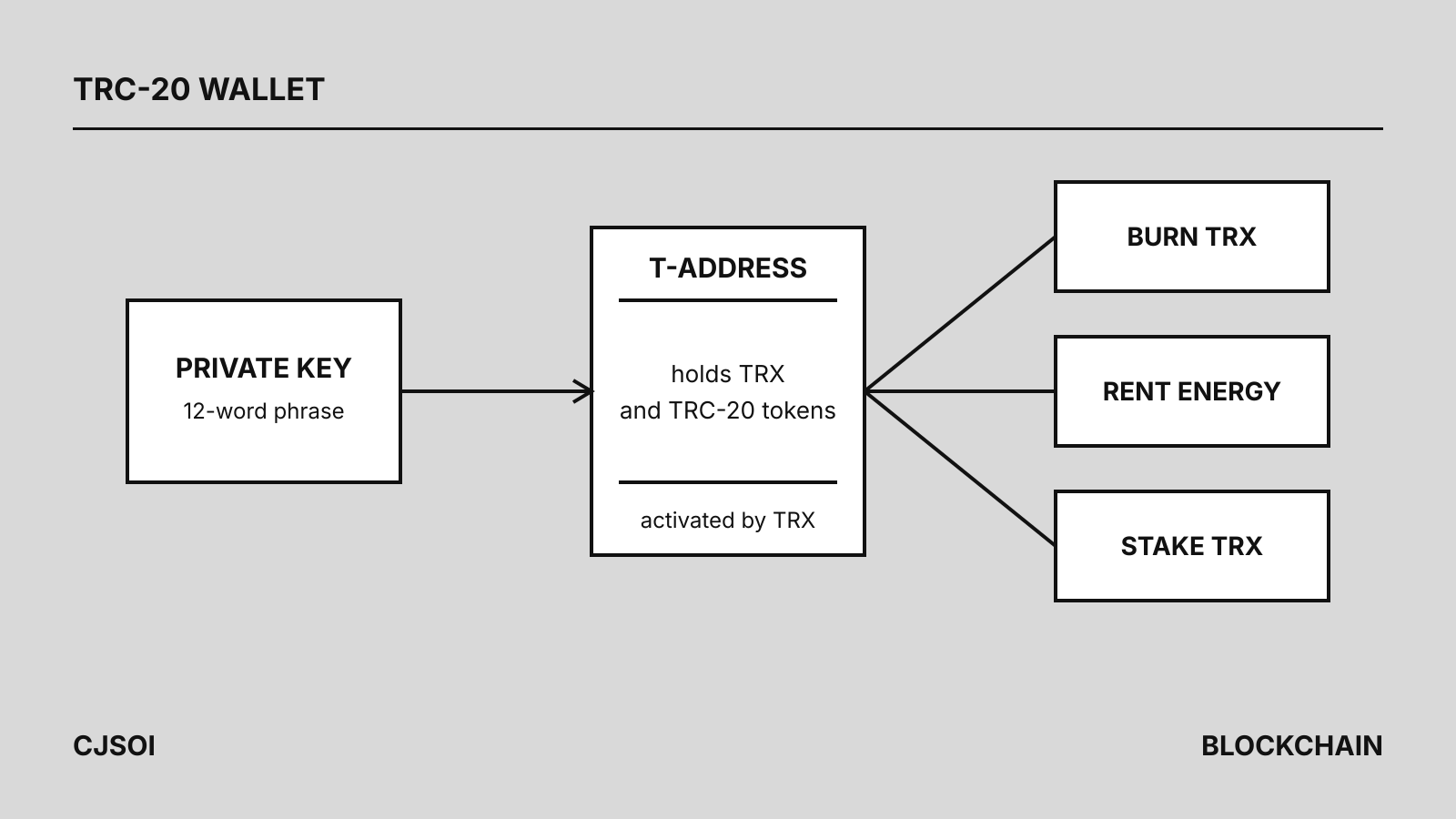
A TRC-20 wallet is simply a TRON wallet: one address starting with T holds TRX and every TRC-20 token, including USDT, so a “TRX wallet” and a “TRC-20 wallet” are the same thing. You can open one in a few minutes in TronLink, Trust Wallet, TokenPocket or imToken, or on a Ledger device. Where the wallets really differ is how they pay the energy that each USDT transfer consumes, which decides whether a transfer costs about 6.4 TRX or a fraction of that (see our TRON energy price comparison).
This guide covers what the wallet stores, how to open and activate one, how five common wallets handle USDT fees, and what to check before the first deposit.
What a TRC-20 wallet actually is
TRON’s developer documentation describes an account as an address controlled by a private key. The wallet generates a 32-byte private key, derives the public key and from it the address, which wallets show as 34 characters starting with T. Nothing is registered anywhere at that point: the key pair exists only on your device.
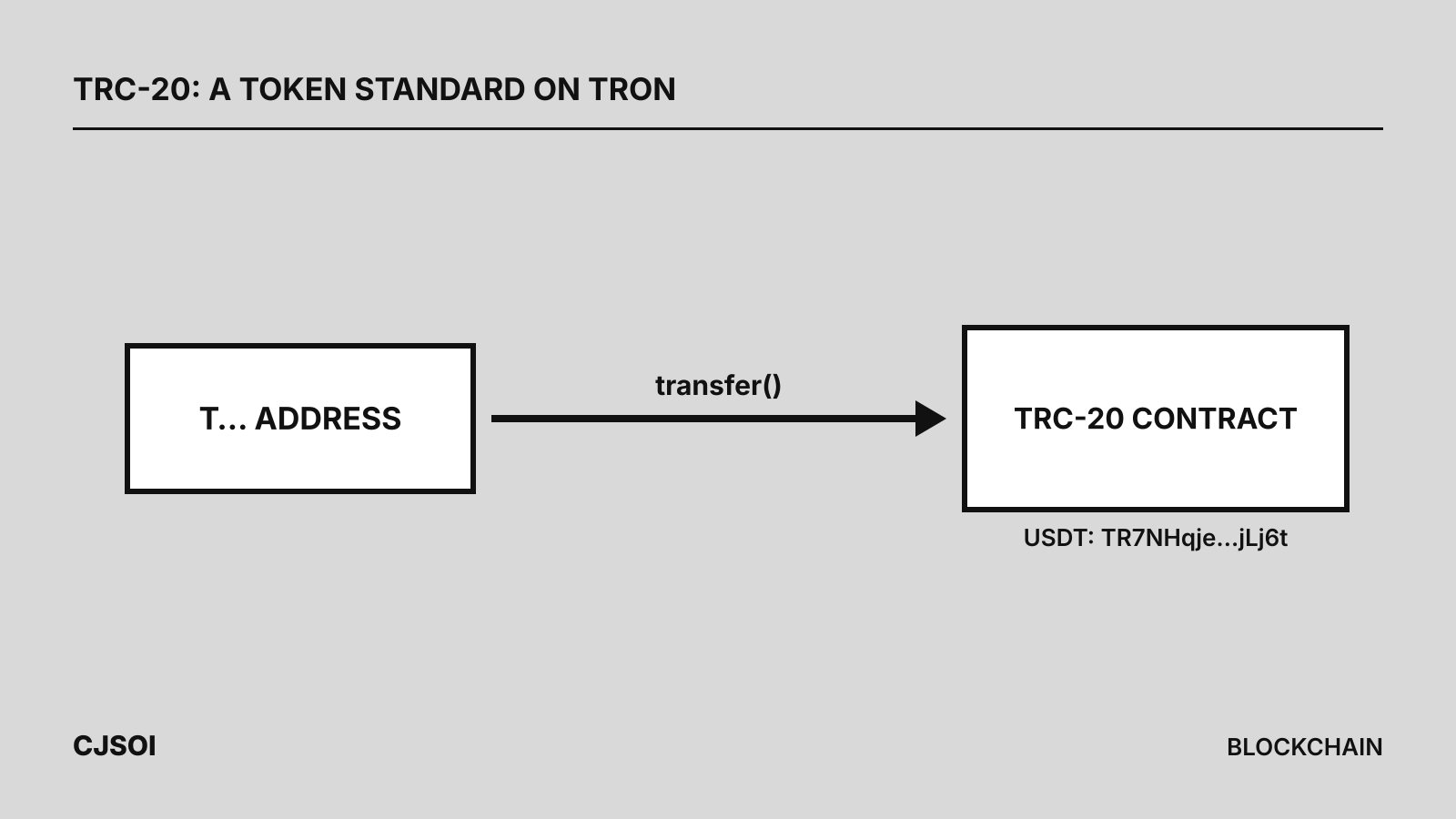
TRC-20 balances are not stored in the account itself. They live in each token’s contract, and the wallet reads them from there. That is why one address can receive USDT or any other TRC-20 token without any setup per token. Tether lists the USDT contract on TRON as TR7NHqjeKQxGTCi8q8ZY4pL8otSzgjLj6t; for what the standard means, see what is TRC-20, and for USDT’s issuer, reserves and networks, the USDT entry in our stablecoin list.
The wallet’s one job is keeping the key safe and signing transactions. Whoever holds the recovery phrase controls the funds.
How to open one: TronLink as the example
TronLink is the wallet app TRON’s own documentation uses as its example. Its support center describes these steps for the browser extension; the mobile app is similar:
- Install the extension and choose “Create Wallet”. Read and accept the user agreement.
- Set a wallet name and a password. TronLink says it cannot recover a forgotten password, because the wallet is decentralized.
- Choose “Back up Wallet” and view the 12-word mnemonic phrase. Write the words down in order; TronLink advises against screenshots.
- Confirm the phrase by selecting the words in order. The wallet is created and shows its T-address.
The other wallets follow the same pattern: create, back up the phrase, verify it. Trust Wallet, TokenPocket and imToken are multi-chain apps, so make sure you copy the TRON address, not an Ethereum or BNB Chain one.
Activation: why a new address can look empty
A new address is not yet known to the network. TRON’s documentation says it cannot be looked up on an explorer or through the API until it is activated, and that activation happens when an existing account sends it any amount of TRX or a TRC-10 token. The sender pays a 1 TRX account-creation fee, plus 0.1 TRX if it lacks bandwidth; the current chain parameter is still 1 TRX.
In practice:
- Receiving TRX first activates the address, at the sender’s cost.
- Ledger asks you to send at least 0.1 TRX to a new Tron account before TRC-20 tokens show in its Ledger Wallet app. Ledger says tokens already sent to an inactive account are safe and appear once the TRX arrives.
- Sending to an unactivated address costs the sender more. Ledger advises sending 0.1 TRX to an exchange deposit address that has not been activated before sending tokens to it.
How five wallets handle USDT fees
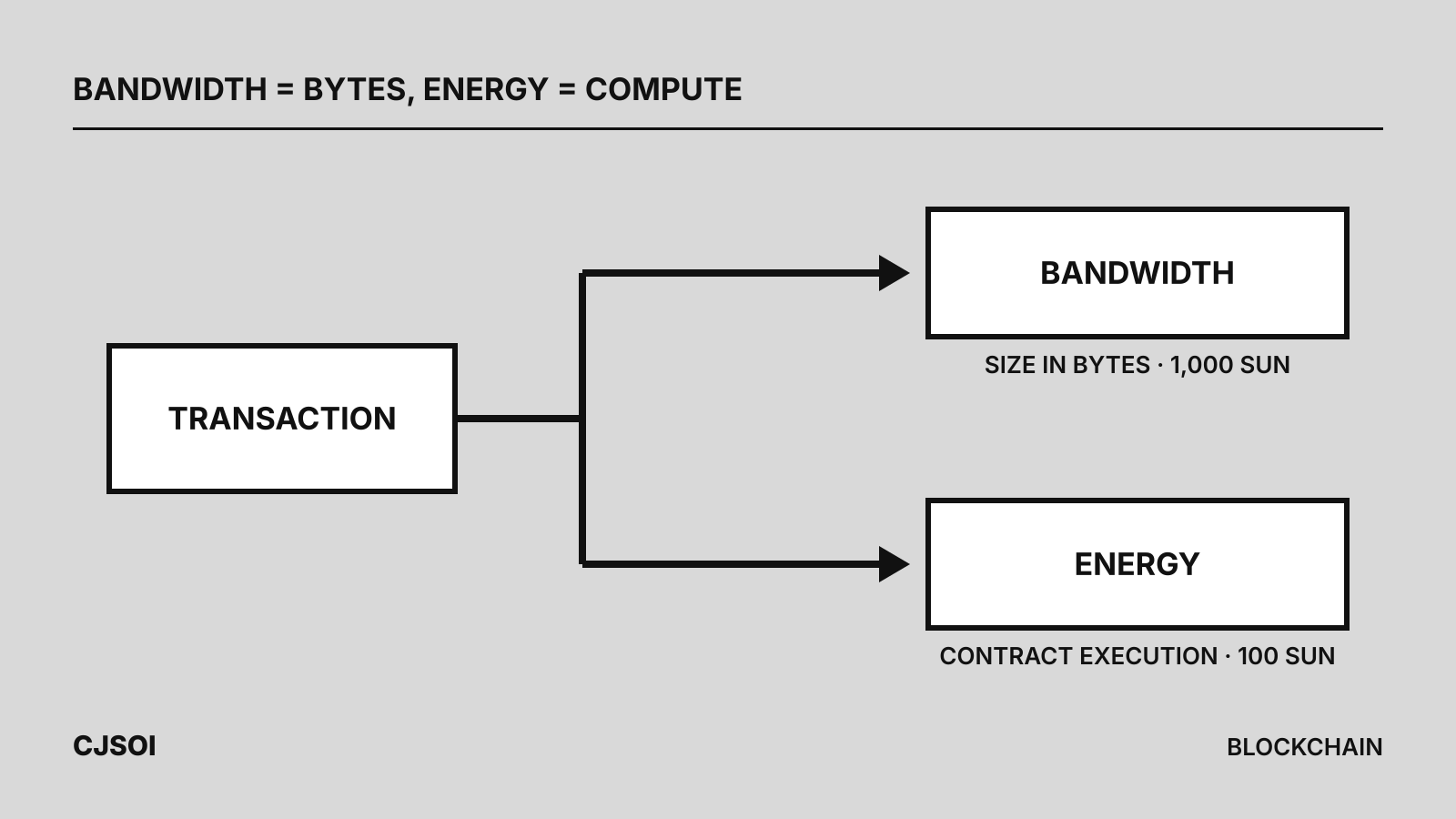
Every USDT transfer needs energy. Without it, the network burns TRX: 100 sun per unit of energy, the getEnergyFee chain parameter on October 2, 2026. The wallets below offer different ways around that. All are self-custody wallets; the fee figures are the wallet makers’ own examples.
| Wallet | Form | Built-in energy options |
|---|---|---|
| TronLink | Browser extension, mobile app | Stake TRX for energy or bandwidth; separate GasFree wallet paying fees in the token sent |
| Trust Wallet | Mobile app, browser extension | Stake TRX for energy or bandwidth; automatic energy rental through Tronify |
| TokenPocket | Mobile app | Rental toggle on the transfer screen, paid in TRX, USDT or USDD |
| imToken | Mobile app | “Pay TRX to rent energy” through Feee.io |
| Ledger | Hardware device | None in Ledger Wallet; staking through TronScan or TronLink with the device |
TronLink lets you stake TRX for energy or bandwidth from its Stake page. It also offers a GasFree wallet: transfers are submitted to a GasFree service provider and the fee is paid in the token being sent, with an activation fee added to the first transfer. TronLink says only specific TRC-20 tokens are covered.
Trust Wallet added TRX staking for energy or bandwidth in December 2024. In a post dated October 31, 2025 it said it was integrating Tronify, which rents energy and bandwidth automatically when that costs less than standard network fees, picks TRX or USDT to pay for it, and shows the total before you confirm.
TokenPocket has a toggle on the TRON transfer screen that rents energy before sending (details). When the wallet holds no TRX it can charge the fee in USDT or USDD and activate the account. Its help pages give undated examples of 3.6 to 3.76 TRX, or 0.78 USDT to an existing holder and 1.09 USDT to a new one.
imToken, from version 2.15.6, offers “Pay TRX to rent energy” on the USDT transfer screen: the app sends a rental transaction to Feee.io, then the transfer (details). Its undated example: 4.746 TRX rented against 6.91 TRX burned. The TRX balance must exceed the burn amount for the option to work.
Ledger keeps the key on a hardware device. Its Tron app manages TRC-10 and TRC-20 tokens in Ledger Wallet, but staking is not supported there; Ledger points to TronScan or a TronLink connection instead. Any wallet can also use energy rented from an outside service, because energy is delegated to the address, not to the app.
Worked example: what the fee choice costs
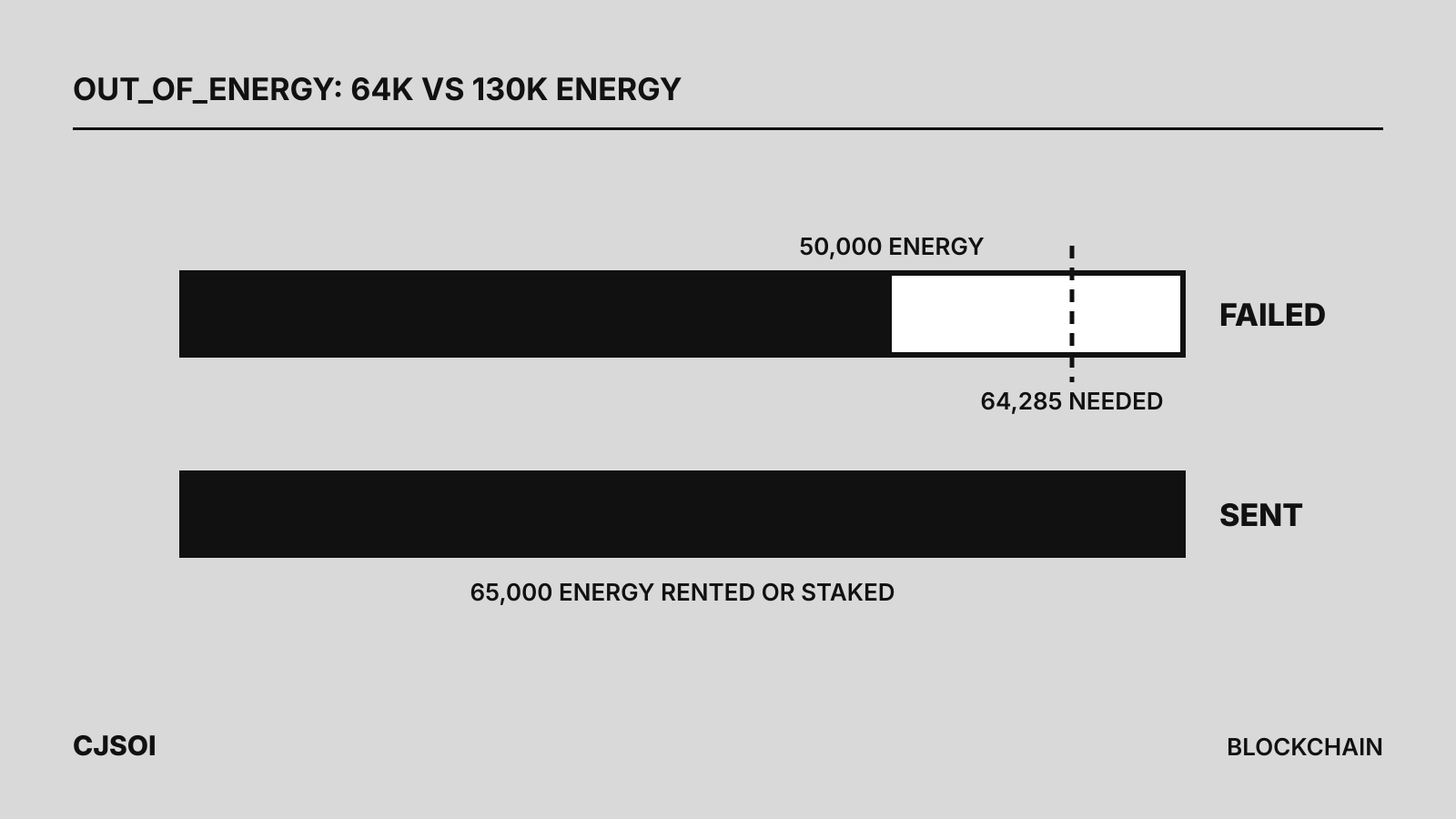
Take one USDT transfer to an address that already holds USDT, using the 64,285-energy example transaction in TRON’s documentation:
- Burn TRX: 64,285 × 100 sun = 6.43 TRX, plus 0.345 TRX if the 600 free daily bandwidth is used up (calculation).
- Rent 65,000 energy for an hour: 1.1 to 3.1 TRX across the services in our rental comparison on September 30, 2026. Saving per transfer: 3.33 to 5.33 TRX (calculation).
- Twenty transfers a month: about 67 to 107 TRX saved by renting rather than burning (calculation: 3.33 × 20 and 5.33 × 20).
- Stake instead: CatFee’s calculator put one day’s 65,000 energy at about 6,700 TRX staked on September 30, 2026, locked for 14 days after unstaking.
To a new USDT holder the energy roughly doubles (130,285 in the docs’ example, 13.03 TRX burned), so rent 131,000 energy or let the wallet size the rental. Our guide to energy vs bandwidth explains both resources.
Checks before your first deposit
- Pick TRC-20 at the sender. An exchange withdrawal or another wallet must send on TRON, to your T-address. USDT on other networks is a different token on a different chain; see choosing a network.
- Keep some TRX. Even with rented energy, the wallet needs TRX for bandwidth or a rental fee, and a USDT transfer with too little can fail: see the OUT_OF_ENERGY error.
- Send a small test first and check it on an explorer.
- Never type your recovery phrase into a website or share it with support. imToken warns that a genuine energy rental never asks you to approve a token.
For the full sending steps see how to send USDT on TRON, and for how USDT compares with USDC, USDT vs USDC.