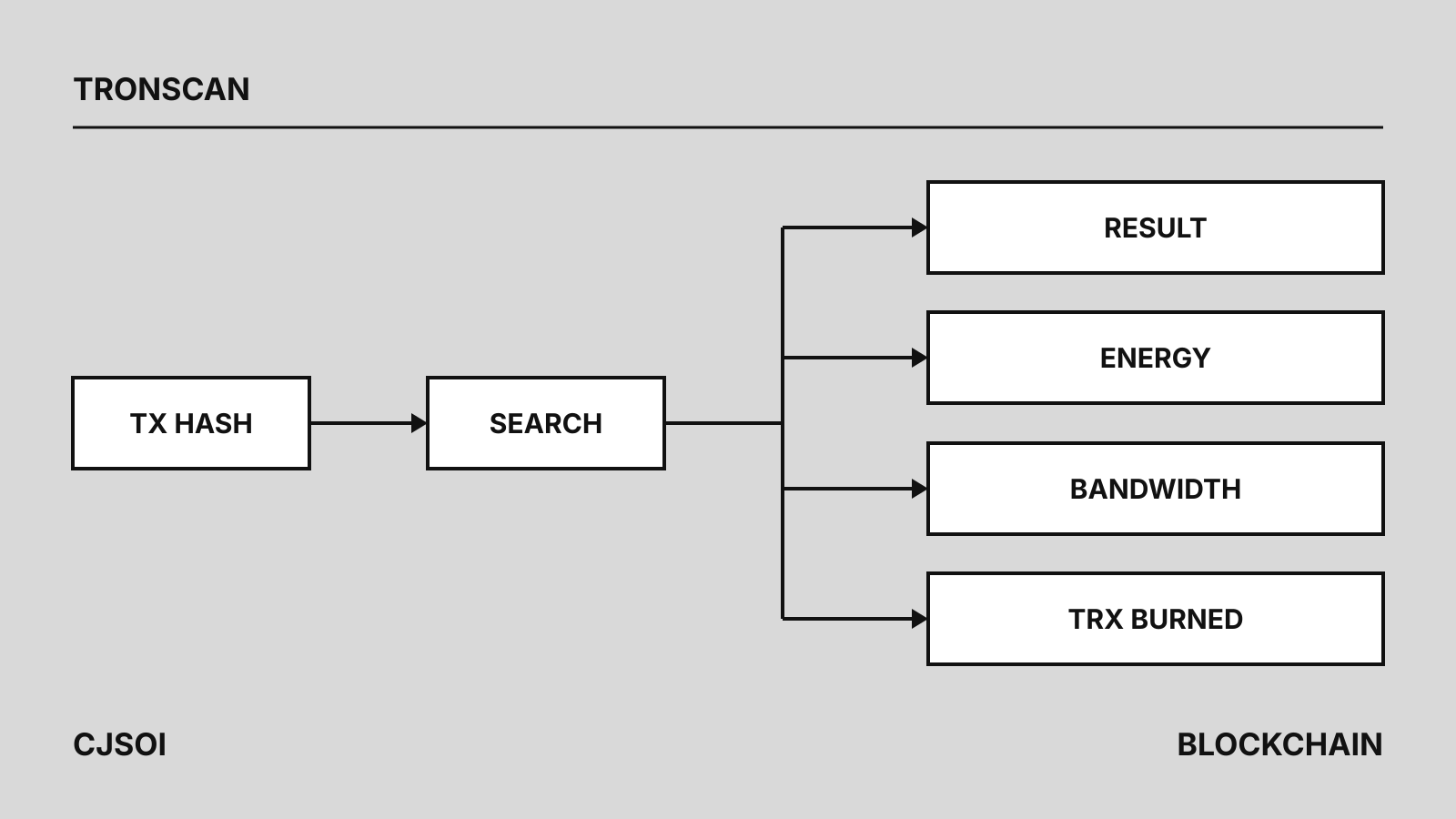
“TRX scan” is what many people type when they mean TRONSCAN, the TRON block explorer at tronscan.org. To track a TRON transaction, paste its transaction hash (TXID) or a T… address into the TRONSCAN search box. The transaction page answers three questions: did it succeed, is it confirmed, and what did it cost in energy, bandwidth and burned TRX.
The cost fields matter most for USDT. If a transfer burned several TRX, the sender had no energy of its own, and renting energy before the next one usually costs less; current prices are in our TRON energy rental comparison.
How to find a transaction: by hash or by address
TRON’s developer docs say the TRONSCAN search accepts a block height, transaction ID, base58 address, contract address, token symbol or Super Representative name.
- By hash. Copy the TXID from your wallet history or the exchange’s withdrawal record and paste it in. A TRON hash is 64 hexadecimal characters with no
0xprefix. - By address. Search the sending or receiving
T…address to see its transactions. This is how you track a wallet over time; TRON’s security guide recommends checking your own address on TRONSCAN periodically for unexpected outgoing transactions. - By token. For USDT, check that the token contract shown is
TR7NHqjeKQxGTCi8q8ZY4pL8otSzgjLj6t, the TRC-20 contract Tether lists on its supported-protocols page. A token called USDT at any other contract is not Tether’s. Background: what TRC-20 is and our USDT profile.
Reading the status and result
There are two separate questions: did the transaction run, and is it final.
Result. For a smart contract call such as a USDT transfer, TRONSCAN shows the contract result (contractRet in its API). The values you will meet:
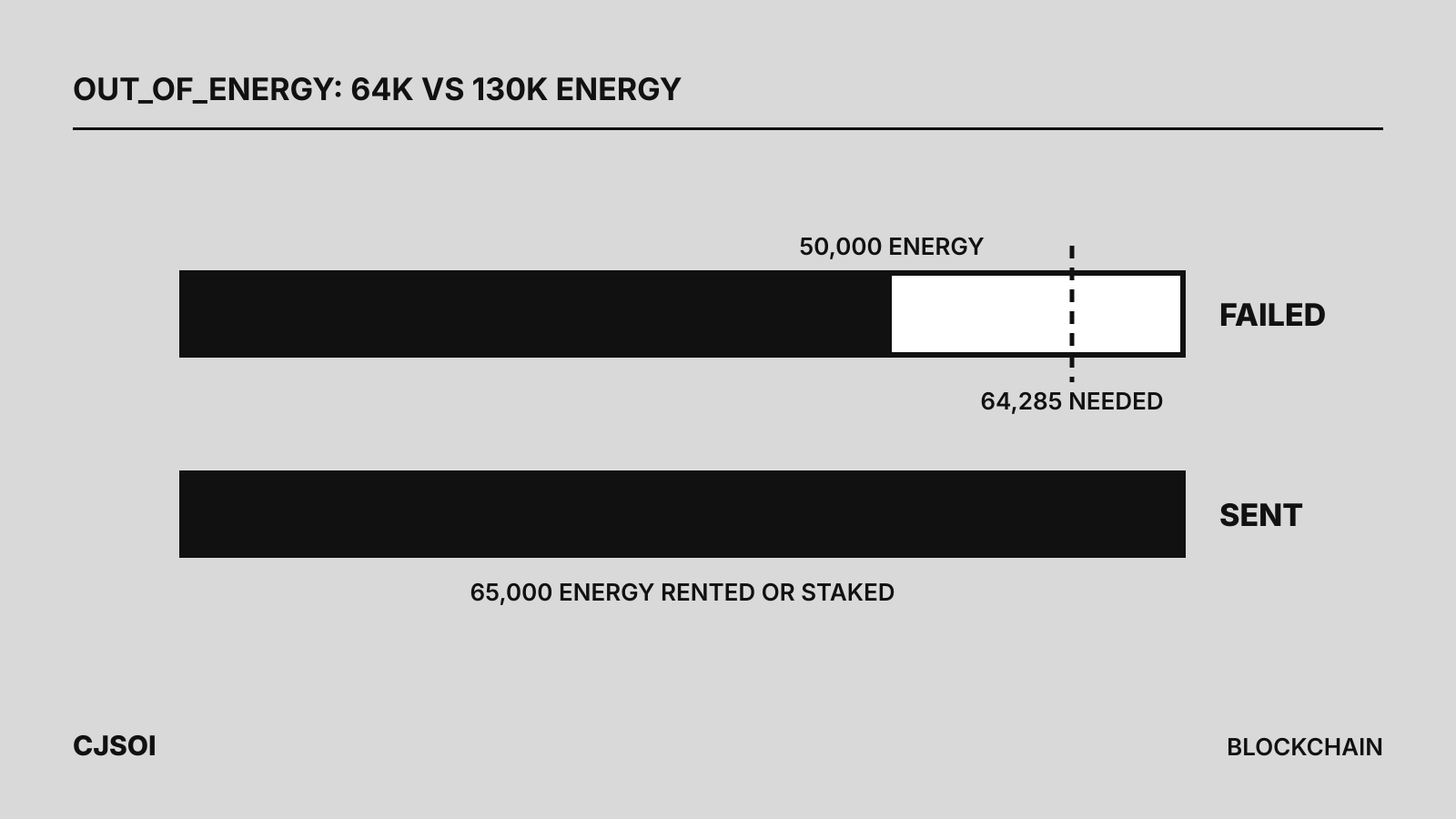
SUCCESS: the contract executed and the tokens moved.OUT_OF_ENERGY: the call used up the energy allowed by itsfee_limit, or the sender ran out of energy and TRX. See TRON out of energy.REVERT: the contract aborted on purpose, for example when arequirecheck failed. Only the energy used before the failure is charged.OUT_OF_TIME: execution exceeded the per-transaction time budget, currently 80 ms.
TRONSCAN’s support center says that when a transaction is marked failed, the funds being sent “will not be deducted but will remain in the sender’s wallet address.” The fee is still charged.
Confirmation. TRON produces a block about every 3 seconds. A transaction is fully confirmed once its block is solidified: at least 19 distinct active Super Representatives have produced blocks at or above it. TRON’s docs say this typically takes about a minute. TRONSCAN shows whether a transaction is confirmed, counts its confirmations and lists the Super Representatives that confirmed it. An exchange may wait for more confirmations before crediting a deposit.
Reading energy, bandwidth and TRX burned
TRONSCAN’s API documentation defines each resource field, and the node receipt (gettransactioninfobyid) uses the same names. Amounts in sun convert at 1 TRX = 1,000,000 sun.
| Field | What it shows | Unit |
|---|---|---|
energy_usage_total | All energy the call consumed | energy |
energy_usage | Energy drawn from the caller’s own staked or delegated energy | energy |
origin_energy_usage | Energy paid by the contract’s deployer | energy |
energy_fee | TRX burned because the caller lacked energy | sun |
energy_penalty_total | Extra energy charged by the dynamic energy model | energy |
net_usage | Bandwidth consumed | bytes |
net_fee | TRX burned because the caller lacked bandwidth | sun |
fee_limit | The most the caller allowed for energy | sun |
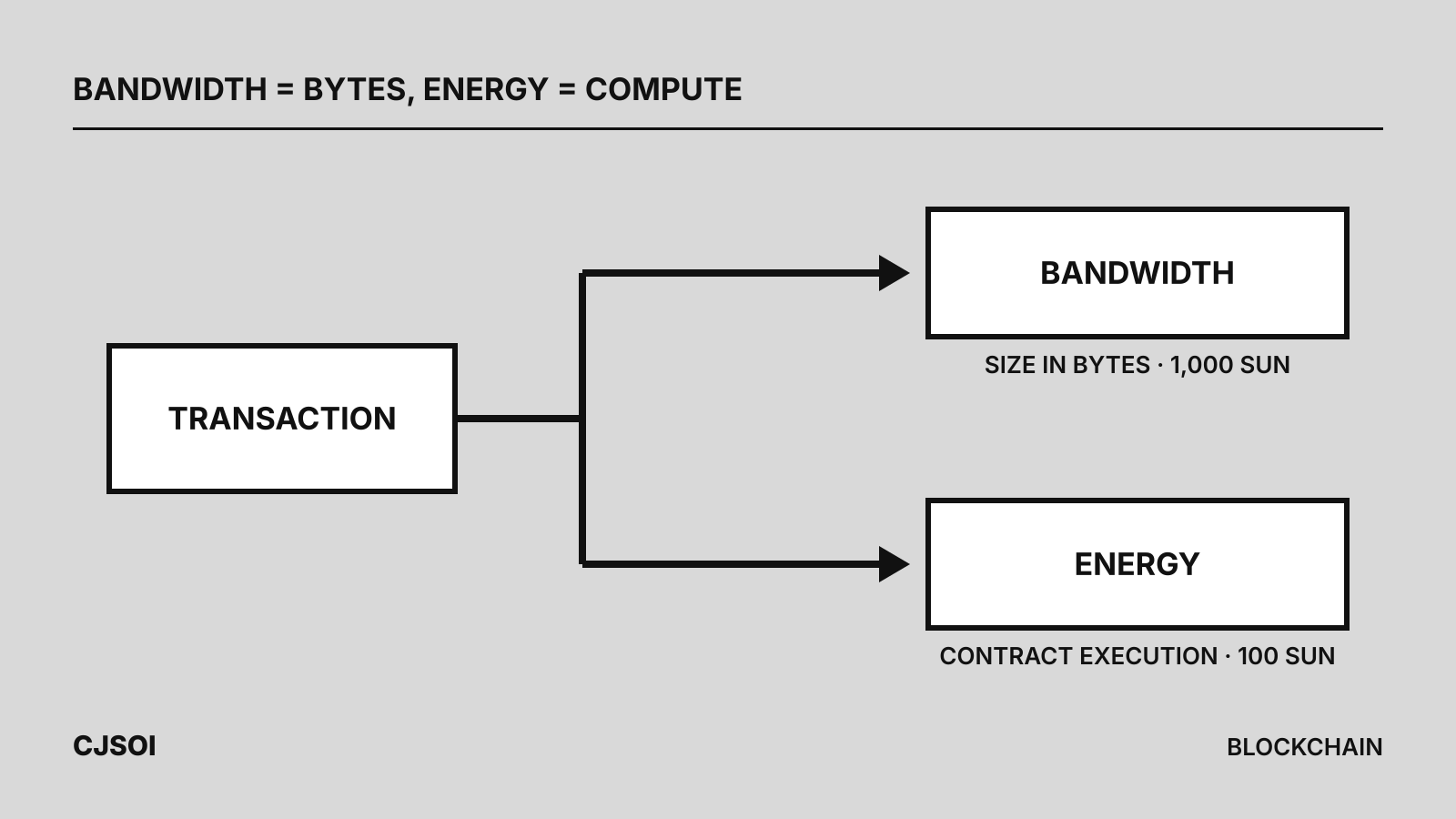
The network charges in a fixed order. Bandwidth comes from staked bandwidth, then the free 600 a day, then a burn at 1,000 sun per byte. Energy comes from the caller’s staked or delegated energy (plus any deployer share), then a burn at 100 sun per unit, capped by fee_limit. Rented energy is delegated energy, so it shows up under energy_usage. The two numbers that tell you what you actually paid in TRX are energy_fee and net_fee. For what each resource pays for, see energy vs bandwidth.
Worked example: a real USDT transfer
TRON’s docs link to a USDT transfer as their example of a payment to an address that already holds USDT. TRONSCAN’s record of it (block 77,855,713, November 27, 2025) shows:
- Result
SUCCESS, confirmed; 3,618 USDT moved through the Tether contract. energy_usage_total64,285, all of itenergy_usage. The sender used its own staked or delegated energy, soenergy_feeis 0.energy_penalty_total49,635. That is the dynamic energy surcharge on the heavily used USDT contract; without it the call would have needed 14,650 energy (calculation: 64,285 − 49,635).net_usage0 andnet_fee345,000 sun. At 1,000 sun per byte, that is 345 bytes of bandwidth paid entirely by burning 0.345 TRX (calculation).fee_limit30,000,000 sun, or 30 TRX. It is a cap, not a charge.
Calculation: the same transfer from a wallet with nothing staked or rented. Using the chain parameters shown on TRONSCAN as of early October 2026 (getEnergyFee 100 sun, getTransactionFee 1,000 sun per byte):
- Energy: 64,285 × 100 sun = 6,428,500 sun, about 6.43 TRX
- Bandwidth: 345 × 1,000 sun = 0.345 TRX, or nothing if the account’s free daily bandwidth is unused
- Total: about 6.77 TRX
The docs’ second example, a transfer to an address that had never held USDT, used 130,285 energy: about 13.03 TRX if burned (calculation), because writing a balance into an empty storage slot costs more. Energy from staking or a rental replaces that burn; compare options on our TRON energy page.
Common confusions
- Hash not found. A missing receipt does not mean failure. TRON’s docs advise against marking a transaction failed right away. A transaction that is not included before its expiration, 60 seconds by default, is dropped. Search again after a minute, then ask the sender whether it was broadcast at all.
- Wrong network. A hash starting with
0xcomes from an EVM chain such as Ethereum, not TRON. Tether issues USDT on several blockchains, and a transfer on any of them will never appear on tronscan.org. Testnet transactions live on shasta.tronscan.org and nile.tronscan.org. - Successful, but not credited. TRONSCAN lists the usual reasons: the token has not been added to the wallet’s asset list, the amount is below the exchange’s minimum deposit, the exchange wants more confirmations, or it does not support the token. Contact the exchange with the hash.
- Failed, but TRX gone. The transfer did not happen, but the energy and bandwidth it consumed are not refunded. Fix the shortfall and resend; how to send USDT on TRON covers the steps and our TRC-20 wallet guide explains how wallets pay fees.
Safety: use tronscan.org only
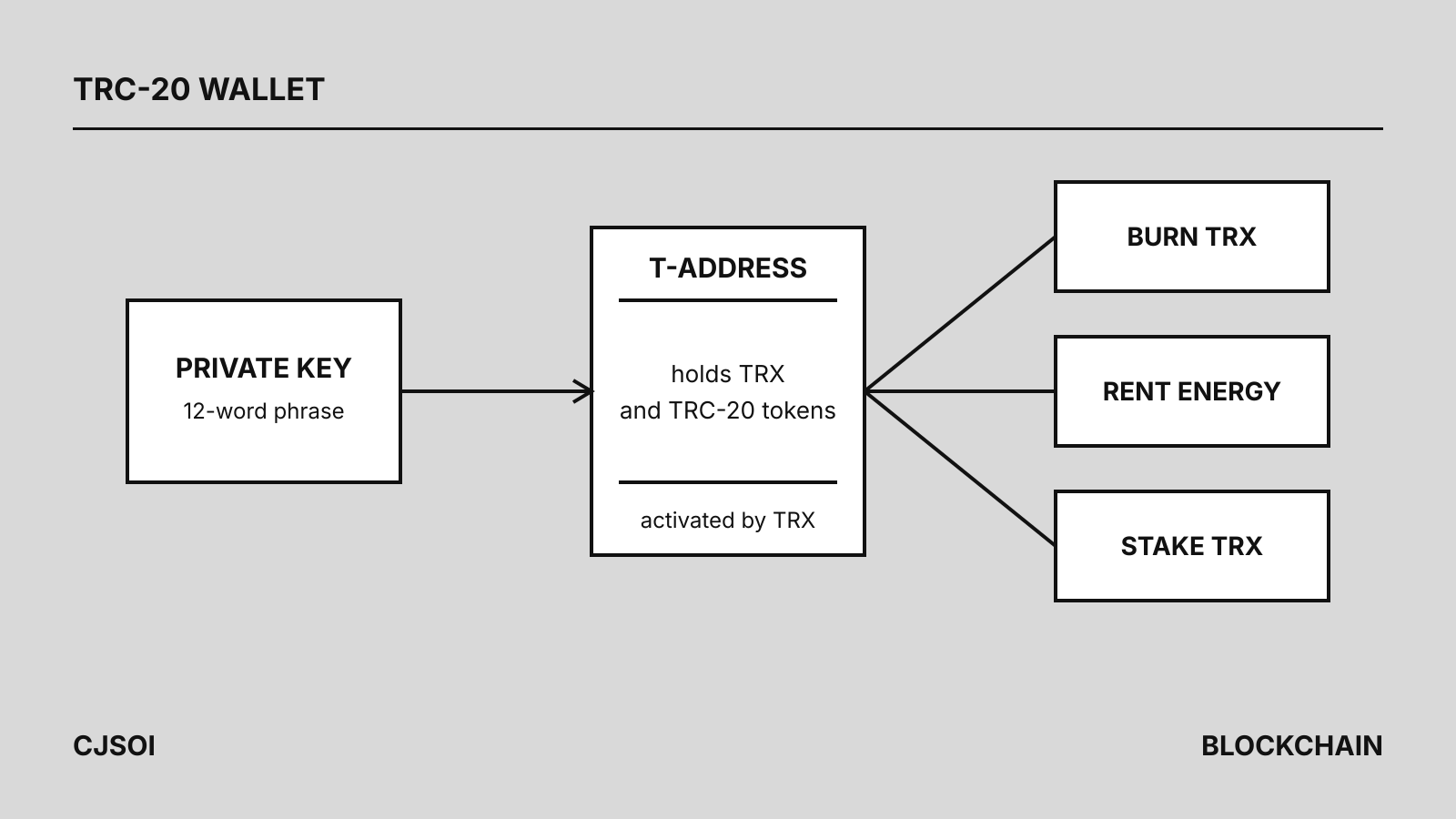
TRON’s security guide warns that phishing copies of explorers exist, with tronscan.org versus tronscanx.org as its example, and advises bookmarking TRONSCAN instead of following search results or links in messages. If a site asks for your seed phrase, leave: the same guide says no legitimate service needs it. When someone sends you a hash as proof of payment, look it up yourself and check the result, the token contract and the recipient address.