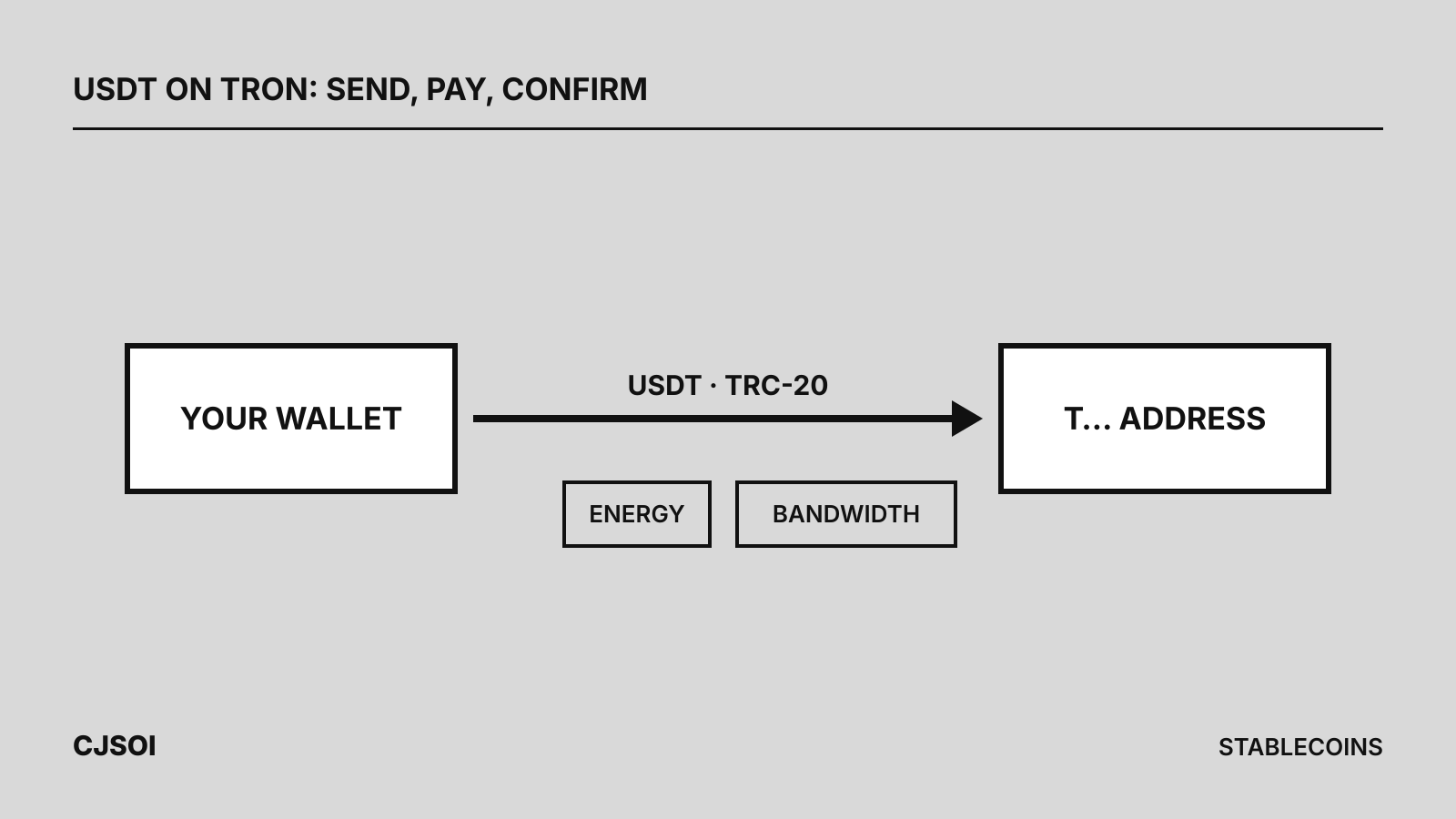
To send USDT on TRON, choose USDT in your wallet or exchange, select the TRON (TRC-20) network, paste the recipient’s T… address, enter the amount and confirm. The recipient must accept TRC-20 USDT. From your own wallet you also need Energy, or TRX to burn: about 6.4 TRX if the recipient already holds USDT, about 13 TRX if they don’t. Renting Energy for the one transfer usually costs less (see the energy rental comparison).
What you need before you start
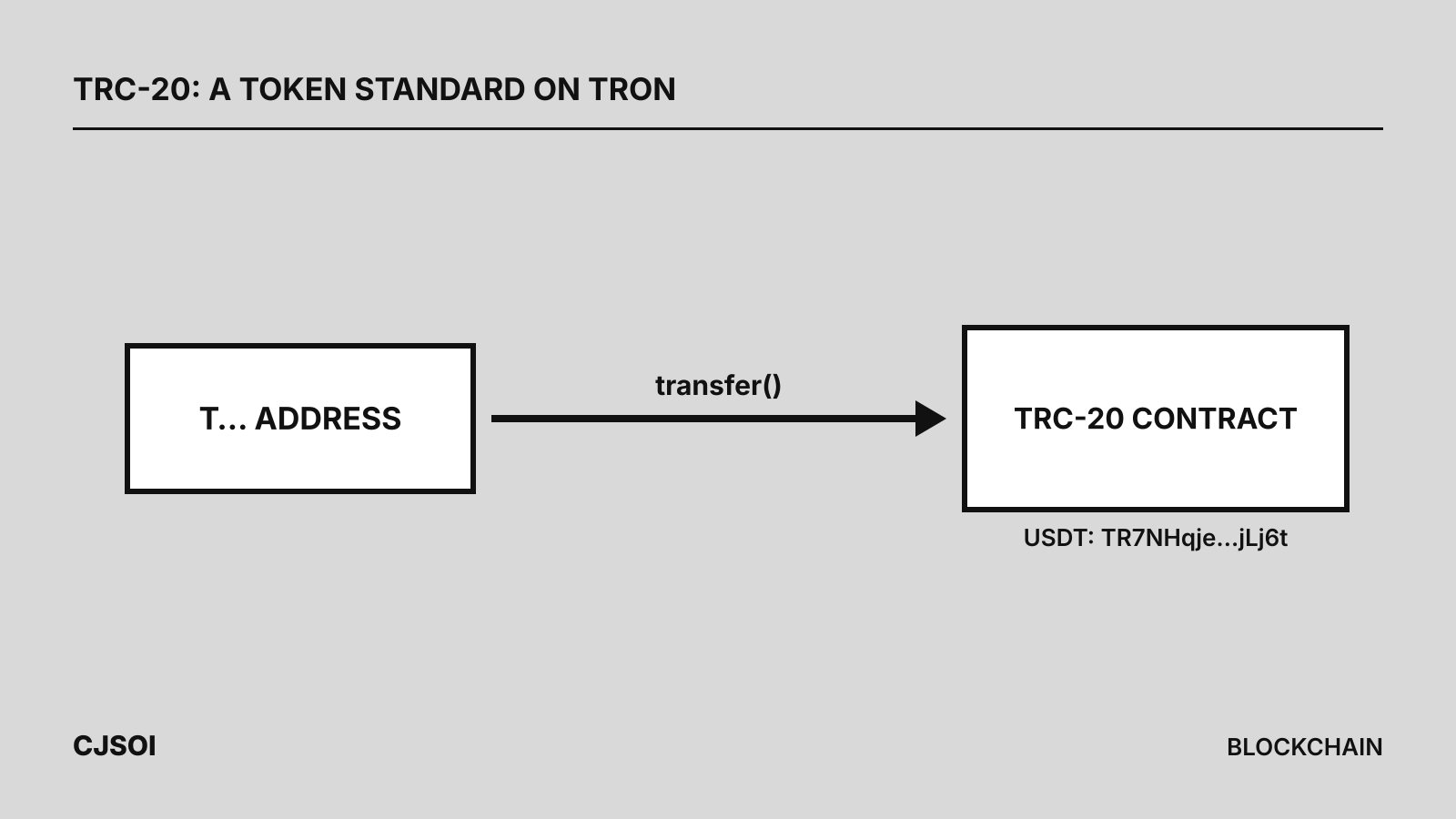
- USDT on TRON. Tether lists “TRC20 Token via Tron Blockchain” among its supported protocols, with the contract
TR7NHqjeKQxGTCi8q8ZY4pL8otSzgjLj6t. A token called USDT at any other contract is not Tether’s. Background: what TRC-20 is. - The recipient’s TRON address. TRON’s docs describe it as 34 characters starting with
T. - Energy or TRX in the sending wallet. Not needed on an exchange, which shows you its own network fee instead.
Step by step: sending from a wallet
TronLink’s help center gives this sequence:
- Open the wallet and tap Transfer (or Send).
- Paste the recipient’s address, or pick it from your address book. Don’t type it by hand.
- Choose USDT and enter the amount.
- Check the fee, then confirm and sign (on a Ledger or other hardware wallet, approve on the device).
TronLink says the transfer will “consume Energy or Bandwidth as fee and will burn TRX if your Energy or Bandwidth is insufficient.” TRON’s docs add that a contract call fails if the sender lacks the TRX to cover the Energy or Bandwidth it needs.
Step by step: sending from an exchange
Binance’s help center describes a typical withdrawal:
- Go to withdraw, or send, and choose USDT.
- Paste the address and select the network: TRON or TRC-20 for a
T…address. - Enter the amount. The screen then shows “the network fee and the final amount you can receive.”
- Confirm and pass the exchange’s security checks.
Binance also warns: “DO NOT select the cheapest fee option. Select the one that is compatible with the external platform.” Compare fees only among networks the recipient accepts; see choosing a network.
TRC-20 or ERC-20: can you send USDT to an Ethereum address?
Not over TRON. Tether treats USDT on different chains as equal in value, but each transfer stays on its own chain: a TRON transfer goes to a T… address, while Ethereum addresses start with 0x. If the recipient needs USDT on Ethereum, withdraw on the ERC-20 network from a platform that supports it, or ask for a TRON address. As Binance puts it, “you can only send ERC20 tokens to another ERC20 address.”
The receiving side must support TRC-20 too. Tether’s advice is to “send TETHER tokens only to addresses explicitly stating they support them,” so check that the deposit page names TRON or TRC-20 for USDT.
What a USDT transfer costs
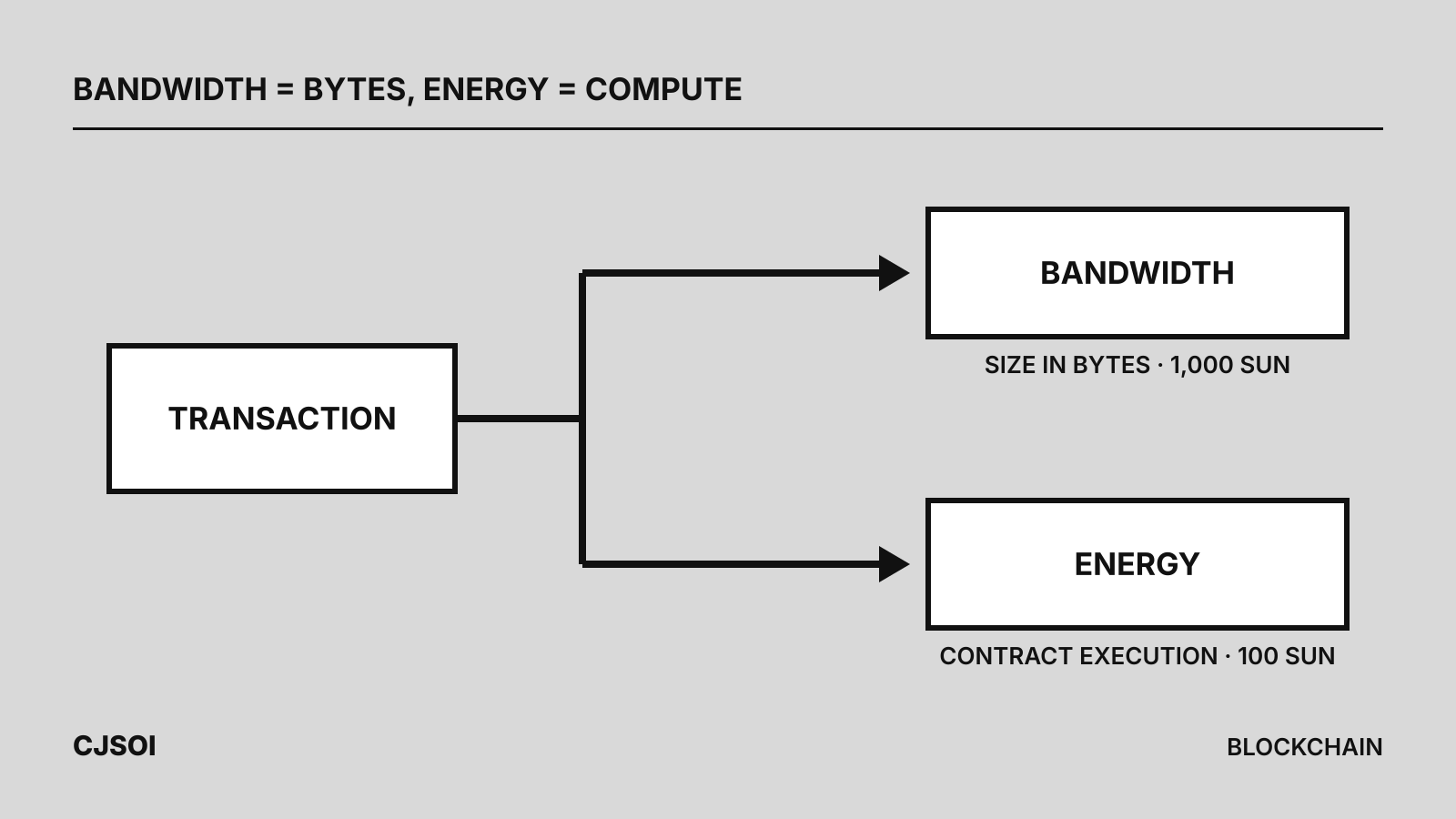
A USDT transfer is a smart-contract call and uses two resources:
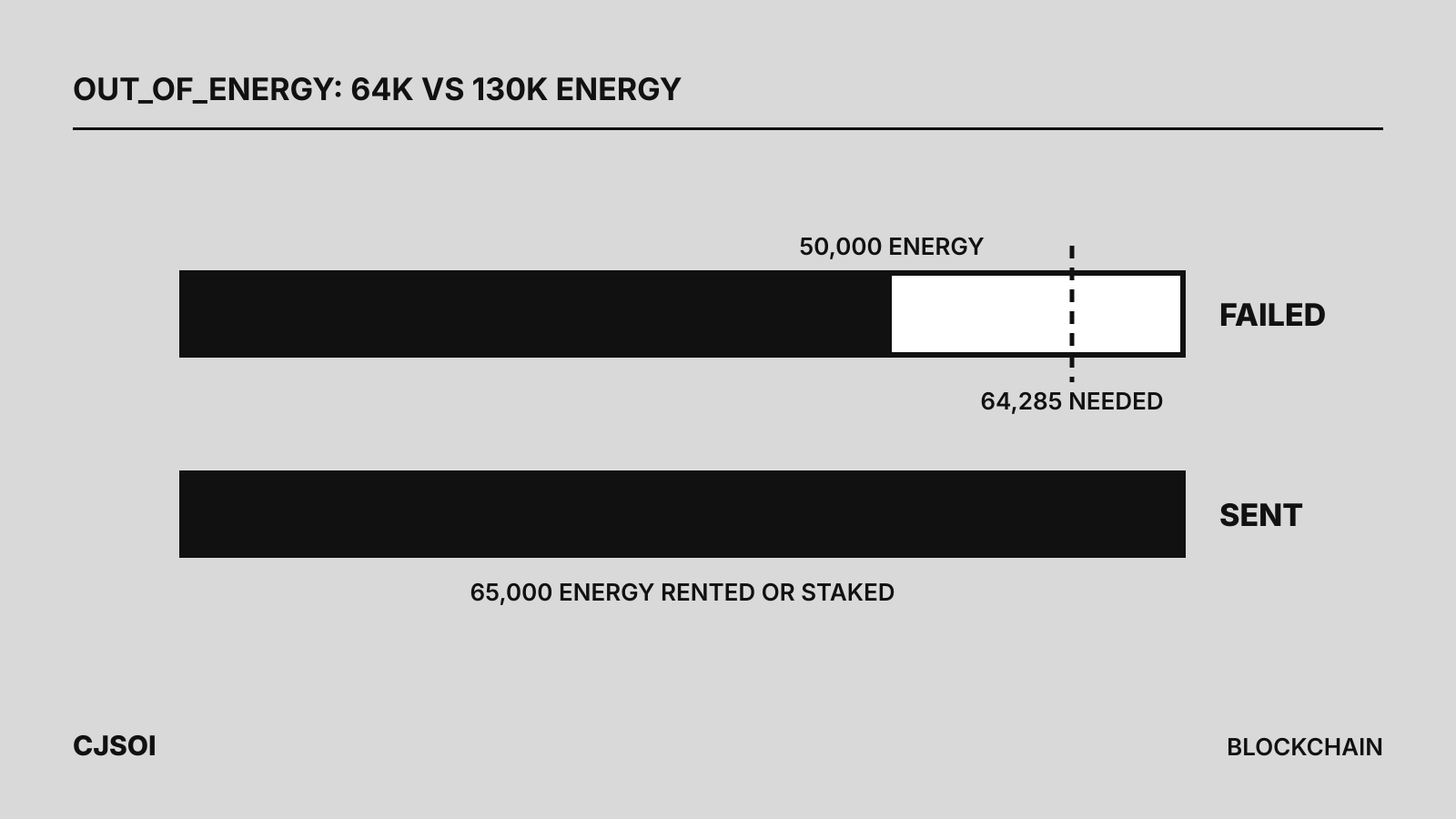
- Energy for running the contract: about 64,000 to an address that already holds USDT, about 130,000 to one that never has, per TRON’s docs. Writing a balance into an empty storage slot costs 20,000 Energy instead of 5,000, and USDT sits at the maximum of TRON’s dynamic energy multiplier (up to 4.4x base).
- Bandwidth for the transaction’s size: 345 bytes in the docs’ example transfers.
Without them, the network burns TRX: 100 sun per Energy and 1,000 sun per byte (1 TRX = 1,000,000 sun).
Worked example, using the two transfers linked from TRON’s docs (calculations):
| Case | Energy used | TRX burned for Energy | Bandwidth, if not covered |
|---|---|---|---|
| Recipient already holds USDT | 64,285 | 64,285 × 100 sun = about 6.43 TRX | 345 bytes × 1,000 sun = 0.345 TRX |
| Recipient has never held USDT | 130,285 | 130,285 × 100 sun = about 13.03 TRX | 0.345 TRX |
So the first transfer to a new holder costs about twice as much; later ones drop back to about 64,000 Energy. More in Energy vs Bandwidth.
Activation is separate. Per TRON’s docs, an address is activated by receiving TRX or a TRC-10 token (or an explicit create-account call), with the sender paying a 1 TRX fee; a USDT transfer does not activate it. TronLink warns that for an inactive recipient “a certain amount of TRX will be consumed to activate the account.” A brand-new recipient will also need TRX or Energy before moving the USDT on.
How to cut the fee
Use free Bandwidth. Every activated account gets 600 free Bandwidth a day, refilling over a rolling 24 hours, enough for the 345 bytes of one USDT transfer (calculation).
Rent Energy. Rental services delegate Energy to your address for a short period, often an hour. In late September 2026, 65,000 Energy for an hour cost about 1.1 to 3.1 TRX, enough for one transfer to an existing holder; a first transfer to a new holder needs about 131,000. Prices move, so check current rental prices. Some services need no account: TronZap, for example, delegates Energy within a minute, for 1 hour, when you send TRX to its rental address. TokenPocket and imToken (via Feee.io) offer rental on the send screen. Rent before you send.
Stake TRX (Stake 2.0). Staked TRX earns a share of the network’s daily Energy. At network totals in late September 2026, TRON’s formula gives about 9.7 Energy per staked TRX a day, a figure that drifts constantly, so one transfer a day to an existing holder needs roughly 6,600 TRX staked (64,285 ÷ 9.7, a calculation). Unstaking takes 14 days, which suits regular senders rather than one-off transfers.
Send a test transfer first
TRON’s security guide says to “send a small test transaction before large transfers.” If the recipient has never held USDT, the test absorbs the higher first-time Energy cost, and the main transfer then costs the regular amount. Confirm the test arrived on TRONSCAN or with the recipient first.
Common mistakes
- Wrong network. Binance warns such funds “might be lost and will not be able to be recovered.” Tether’s discretionary recovery process only accepts amounts over $1,000, charges “up to 10% of the recovery amount or $1000 (whichever is greater),” and can take months.
- Missing memo or tag. Some platforms share one deposit address and identify customers by memo. If the deposit page shows one, enter it exactly; if you forgot, contact the receiving platform with the transaction ID.
- Not enough TRX. Without Energy or TRX the transfer fails; if
fee_limitis too low it stops withOUT_OF_ENERGYand Energy already spent isn’t refunded. See TRON out of energy. - Address poisoning. TronLink describes scammers generating near-identical addresses and sending tiny USDT amounts so the fake appears in your history. Copy addresses from your address book or the recipient, never from history, and check every character.
- Fake USDT. Check the contract on TRONSCAN; TRON’s guide calls lookalikes such as
USDT-V2“almost always scams.”
Related: what a stablecoin payment costs, USDT vs USDC, USDT profile.