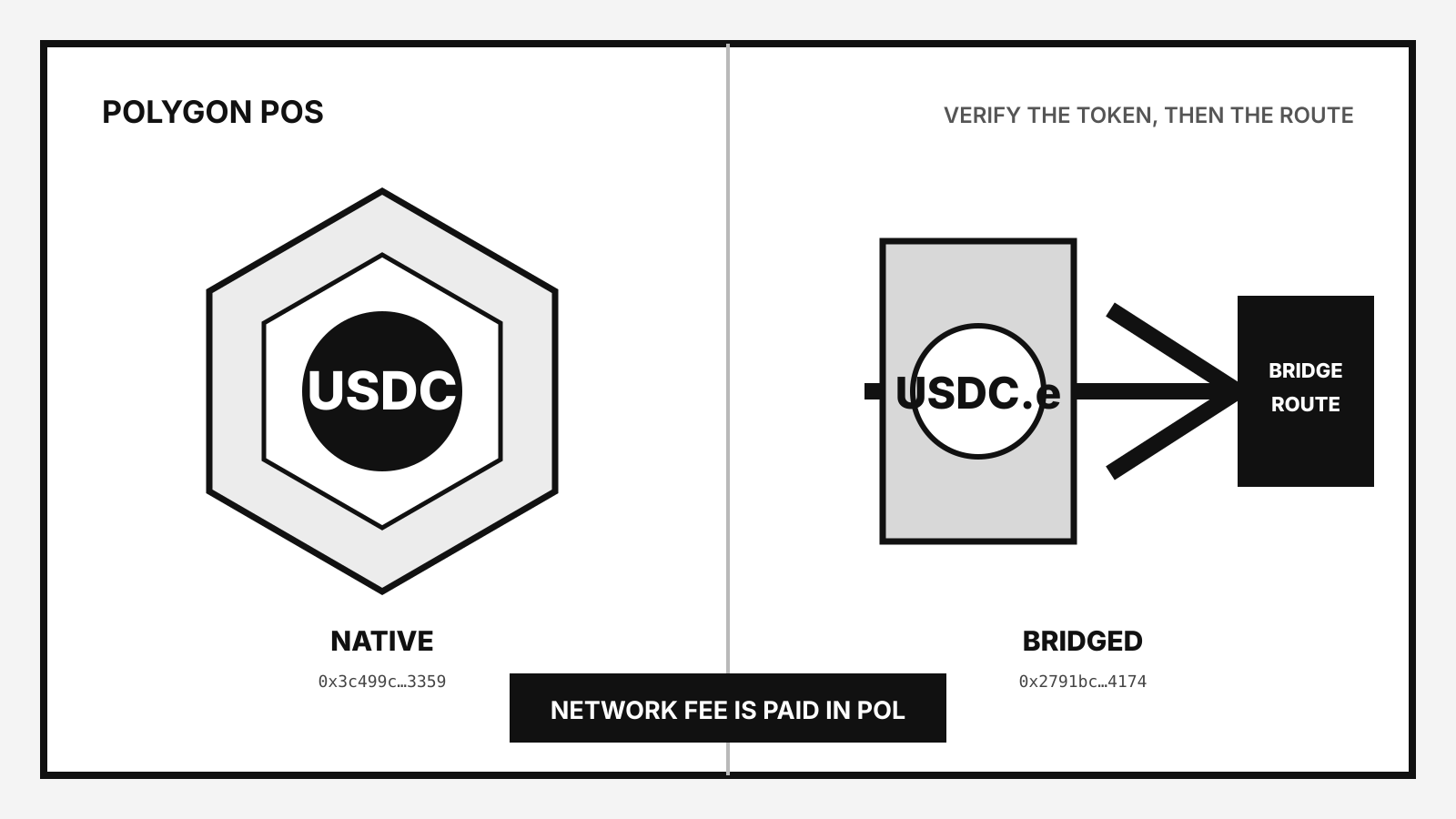
USDC on Polygon can mean two different tokens: native USDC issued by Circle, or the older bridged USDC.e that came from Ethereum through the Polygon PoS Bridge. They use different contracts. Before you send, match the token, the Polygon PoS network and the destination’s deposit instructions.
The practical rule is simple: do not rely on the letters “USDC” alone. Check the contract address and the receiving platform’s supported asset. You also need a small POL balance for the network fee when a wallet sends an on-chain transfer.
Native USDC and USDC.e are separate assets
Circle launched native USDC on Polygon PoS in October 2023. Circle’s token is issued directly on Polygon PoS and uses this contract:
0x3c499c542cEF5E3811e1192ce70d8cC03d5c3359
The older token is USDC bridged from Ethereum through the Polygon PoS Bridge. Circle’s transition notice says block explorers and applications should identify that form as USDC.e. Its contract is:
0x2791Bca1f2de4661ED88A30C99A7a9449Aa84174
Both can appear in a wallet on Polygon PoS. They do not become interchangeable because the symbols look similar. A wallet or exchange can support one, both or neither. Circle stopped accepting deposits and withdrawals of the bridged form through Circle Account and its APIs after the transition period; Circle warned that sending USDC.e to a Circle account after support ended might not be recoverable.
| Check | Native USDC | Bridged USDC.e |
|---|---|---|
| Network | Polygon PoS | Polygon PoS |
| Issuance route | Issued natively by Circle | Bridged from Ethereum |
| Contract | 0x3c499c…3359 | 0x2791bc…4174 |
| Circle account support | Supported | Discontinued |
| Safe assumption | Verify destination supports native USDC | Verify destination explicitly supports USDC.e |
The shortened contract in a wallet is not enough if the middle is hidden. Open the token details or a trusted block explorer and compare the full address character by character.
What you need before sending
A normal wallet transfer needs four things:
- The correct Polygon PoS account. Polygon PoS uses the same hexadecimal address format as Ethereum, but that does not mean a service credits every token or network sent to that address.
- Native USDC, not just a token labelled USDC. Compare the full contract with Circle’s or Polygon’s official documentation.
- A small POL balance. Polygon’s current network documentation lists POL as the Polygon PoS gas token. USDC pays the amount you send; POL pays the transaction fee.
- Destination support. An exchange deposit page or payment processor can impose its own supported-network and minimum-deposit rules.
If any one of those is unclear, stop before signing. A valid blockchain transaction can still reach a contract or deposit route that the receiving service does not credit.
How to send native USDC on Polygon
1. Select Polygon PoS
Choose Polygon PoS in the sending wallet and on the receiving platform. “Polygon,” “Polygon PoS” and chain ID 137 refer to the same main network in Polygon’s current RPC documentation.
Do not select Ethereum mainnet merely because USDC is an ERC-20 token. ERC-20 describes the token interface; it does not choose the chain for you. CJSOI’s ERC-20 explainer covers that distinction.
2. Verify native USDC
Open the asset details and confirm the contract is 0x3c499c542cEF5E3811e1192ce70d8cC03d5c3359. Polygon’s native-USDC integration guide uses the same contract in its transfer example.
If your wallet shows USDC.e or the 0x2791…4174 contract, you are holding the bridged token. Do not send it to a destination that only lists native USDC.
3. Copy the destination and read its instructions
Copy the deposit address from the receiving service or the recipient’s wallet. Check whether the destination names Polygon PoS, native USDC and any minimum amount. A self-custody wallet can receive a supported token at its address, but an exchange credits deposits according to its own systems and rules.
Send a small test amount when the destination is new and the service permits it. The test does not prove every later transaction will succeed, but it can catch a wrong network, unsupported token or copied address before the full amount moves.
4. Keep POL for gas
Polygon PoS fees use an EIP-1559 structure. Polygon documents a base fee and an optional priority fee; the wallet usually estimates both before signing. The total is charged in POL.
Do not send the wallet’s entire POL balance if you still need to move USDC. If the wallet cannot submit the transfer, first check the POL balance and the fee estimate. The amount of USDC in the wallet does not pay the gas automatically unless a particular wallet or service offers a separate sponsored-fee feature.
5. Review, sign and track
Before signing, review:
- network: Polygon PoS;
- asset: native USDC;
- full recipient address;
- amount;
- POL fee estimate.
After broadcast, save the transaction hash. A Polygon block explorer can show the sender, recipient, token contract, amount and status. The receiving service may take longer to credit the deposit than the network takes to include the transaction.
Moving USDC between Ethereum and Polygon
A cross-chain move is not the same as an ordinary Polygon transfer. You are changing where the USDC balance exists.
Polygon’s current payments documentation distinguishes native USDC used directly on Polygon from Circle’s cross-chain system. A bridge or CCTP-based route can involve contracts, attestations and support rules that a wallet transfer does not.
Start from the destination:
- If you need native USDC on Polygon, choose a route that explicitly delivers native USDC to Polygon.
- If a bridge delivers USDC.e, the result is the bridged contract, not Circle’s native Polygon token.
- If an exchange handles the move internally, verify the withdrawal network and token shown before confirming.
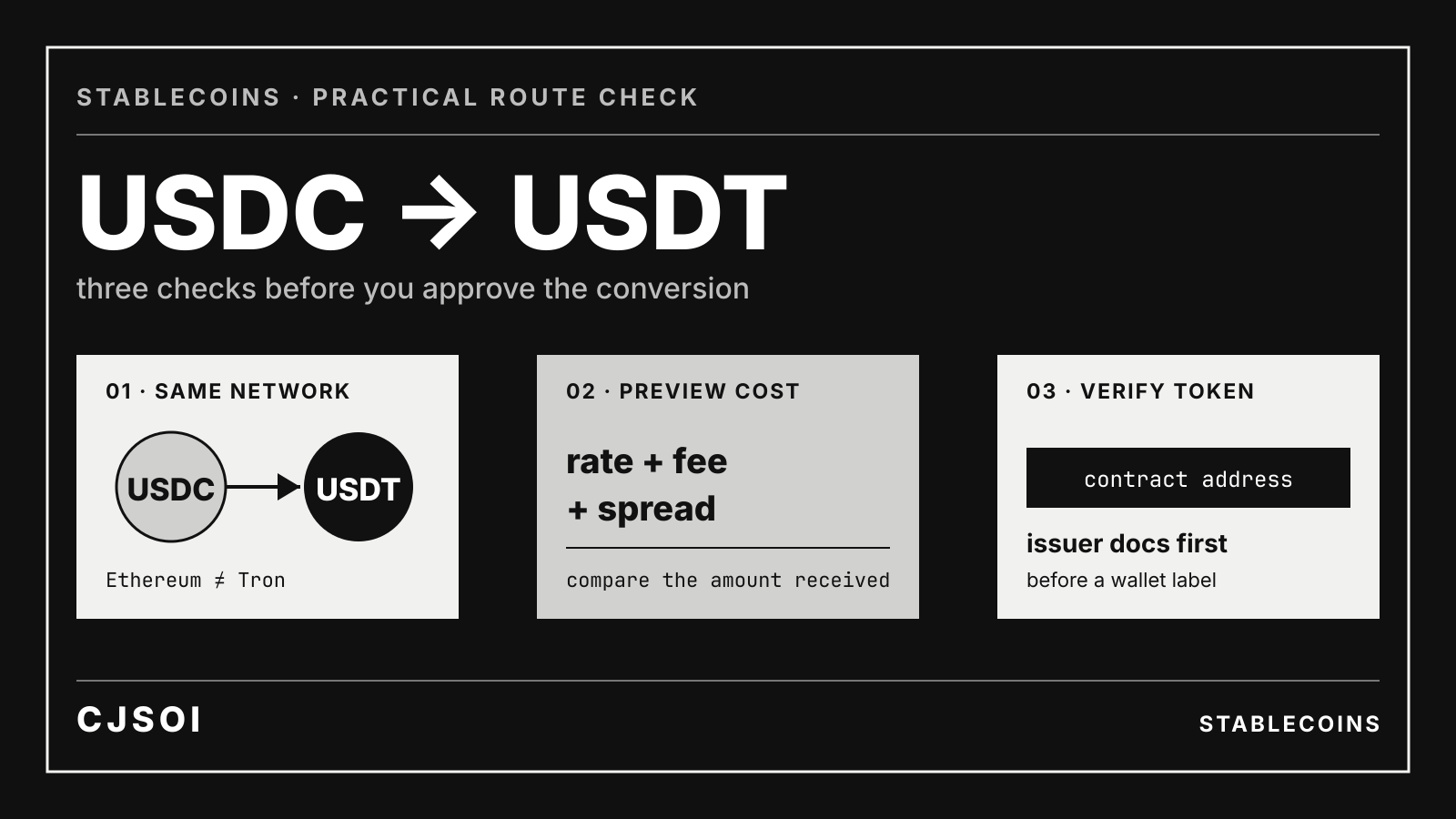
Fees may include a source-chain network fee, a destination-chain fee, a bridge or service fee, and a price impact if the route swaps one asset for another. Read the preview as a set of separate costs. Do not compare only the final network fee.
For the general network-selection checklist, see How to choose the right stablecoin network. CJSOI’s stablecoin list also records issuer, redemption and supported-network information separately from wallet routing.
What happens if you send the wrong Polygon token
The answer depends on who controls the destination address and which token arrived.
For a self-custody wallet, the token may be present even if the wallet interface does not show it. Adding the correct contract to the wallet can reveal the balance, provided the address and transaction were valid.
For an exchange or custodian, only the operator can decide whether an unsupported deposit can be recovered. A successful on-chain transaction is not proof that the exchange credited the correct asset. Contact the platform through its official support channel with the transaction hash, deposit address, network and token contract.
Do not send a second transaction to “fix” the first until you understand what happened. Sending native USDC after USDC.e does not reverse the earlier transfer.
A final checklist
Before sending USDC on Polygon, confirm all six:
- Polygon PoS is selected at both ends.
- The asset is native USDC at
0x3c499c…3359. - The destination says it supports native USDC on Polygon.
- The recipient address is correct.
- The wallet has enough POL for gas.
- The preview shows the expected amount and fee.
That checklist is more useful than memorising a single fee. Gas changes with network conditions, while the token contract and destination support determine whether the right asset reaches the right system.